June 10, 2026
In today’s connected world, internet access has become almost as important as electricity. Whether you’re working remotely, attending online classes, streaming videos, or browsing social media, a stable internet connection is essential. While most people rely on home broadband or public Wi-Fi networks, there are times when neither is available. This is where mobile hotspots become incredibly useful.
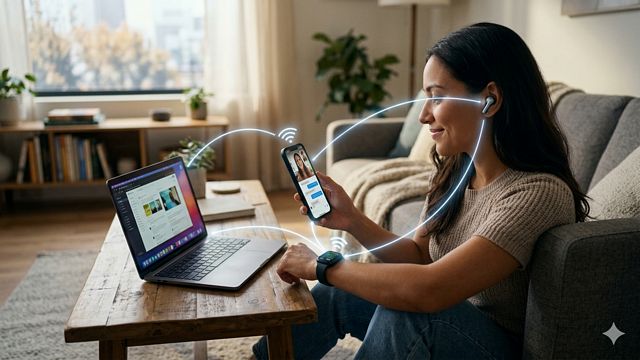
Many smartphone users have used a hotspot at some point, often without fully understanding how it works. With just a few taps, a phone can share its internet connection with laptops, tablets, smart TVs, and other devices. What seems like a simple feature is actually the result of several wireless technologies working together.
Understanding how hotspots work can help users make better use of their devices and appreciate the technology that keeps them connected wherever they go.
What Is a Mobile Hotspot?
A mobile hotspot is a feature that allows a smartphone or dedicated hotspot device to share its internet connection with other devices.
Normally, a smartphone connects to the internet through a cellular network using technologies such as 4G or 5G. When hotspot mode is enabled, the phone acts like a miniature wireless router.
Instead of using the internet only for itself, the phone creates a local Wi-Fi network that nearby devices can join.
Once connected, these devices access the internet through the phone’s cellular data connection.
This allows laptops, tablets, gaming devices, and other equipment to go online even when traditional Wi-Fi is unavailable.
The Role of Cellular Networks
The internet connection shared by a hotspot originates from the cellular network.
When your phone accesses websites, sends messages, or streams videos, it communicates with nearby cellular towers. These towers connect to the broader telecommunications infrastructure that provides internet access.
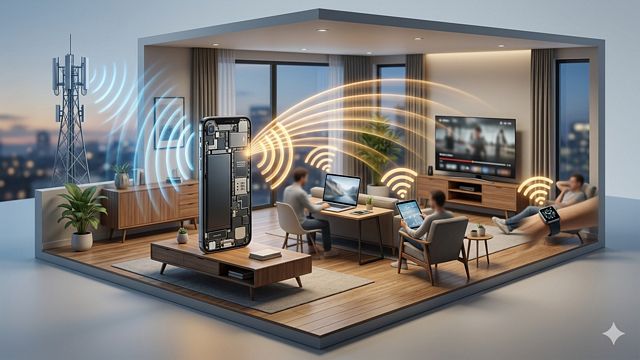
When hotspot mode is activated, the phone continues communicating with the cellular tower as usual. The difference is that it now serves as a bridge between the cellular network and other connected devices.
In simple terms, the phone receives internet data from the cellular network and redistributes it to nearby devices.
Creating a Wi-Fi Network
One of the most important functions of a hotspot is creating a Wi-Fi network.
Modern smartphones contain Wi-Fi hardware similar to that found in wireless routers. When hotspot mode is enabled, this hardware begins broadcasting a wireless network signal.
The phone generates a network name, often called an SSID, and protects it with a password.
Nearby devices can detect the network and request access.
Once the correct password is entered, the device joins the hotspot network and becomes connected to the internet through the phone.
From the user’s perspective, the process is very similar to connecting to a home Wi-Fi network.
How Data Travels Through a Hotspot
When a connected device requests information from the internet, the process happens surprisingly quickly.
Imagine a laptop connected to a smartphone hotspot. When the user opens a website, the laptop sends a request through Wi-Fi to the smartphone.
The smartphone then forwards that request through the cellular network.
The requested information travels across the internet, reaches the website’s servers, and returns through the cellular network to the smartphone.
The smartphone then delivers the data to the laptop through the Wi-Fi connection.
This entire process occurs in fractions of a second, creating the impression of a direct internet connection.
Why Hotspots Work Like Routers
A hotspot performs many of the same tasks as a traditional Wi-Fi router.
A router’s primary job is to direct data between devices and the internet. A smartphone hotspot performs a similar function by managing communication between connected devices and the cellular network.
The phone assigns network addresses, manages data traffic, and ensures that information reaches the correct device.
This routing process happens automatically and is invisible to most users.
The ability to perform these functions is what allows smartphones to act as portable internet hubs.
Security Features in Hotspots
Security is important whenever devices communicate wirelessly.
To protect users, mobile hotspots typically require a password before devices can connect. This prevents unauthorized users from accessing the network and consuming data.
Most hotspots use modern Wi-Fi encryption technologies that scramble transmitted information and make it difficult for outsiders to intercept.
Users can improve security further by creating strong passwords and disabling the hotspot when it is not needed.
These measures help ensure that internet sharing remains both convenient and secure.
Factors That Affect Hotspot Performance
Not all hotspot experiences are the same.
Several factors influence hotspot speed and reliability. The most important factor is cellular signal strength.
If the phone receives a strong 4G or 5G signal, connected devices can usually enjoy faster internet speeds. Weak signals may result in slower performance and occasional interruptions.
Network congestion can also affect speeds. During busy periods, many users may compete for available cellular bandwidth, reducing performance for everyone.
Distance between the connected device and the hotspot can also impact connection quality.
The Impact of 4G and 5G Technology
Modern cellular technologies have greatly improved hotspot performance.
Earlier mobile networks were often too slow to support demanding online activities. Today’s 4G and 5G networks provide much higher speeds, allowing users to stream high-definition video, participate in video conferences, and download large files through hotspot connections.
5G networks are particularly impressive because they can deliver speeds comparable to some home broadband services.
As cellular technology continues to advance, hotspots are becoming increasingly practical for both work and entertainment.
Battery Consumption
One drawback of using a hotspot is increased battery usage.
When hotspot mode is active, the smartphone must operate both its cellular radio and Wi-Fi transmitter simultaneously. This requires additional power compared to normal phone usage.
As multiple devices connect and transfer data, battery consumption increases further.
For extended hotspot sessions, many users keep their phones connected to chargers or external power banks.
Battery technology continues to improve, but hotspot use remains one of the more energy-intensive smartphone functions.
Dedicated Hotspot Devices
While smartphones are the most common hotspot devices, dedicated mobile hotspot units also exist.
These devices are specifically designed to provide portable internet access. They contain cellular radios, batteries, and Wi-Fi hardware but lack many of the features found in smartphones.
Dedicated hotspots often support more connected devices and may provide longer battery life.
They are commonly used by travelers, remote workers, and organizations that require reliable mobile internet access.
Despite their advantages, smartphone hotspots remain popular because they eliminate the need for carrying an additional device.
Everyday Uses of Mobile Hotspots
Hotspots have become valuable tools in many situations.
Travelers use them in airports, hotels, and remote locations. Students rely on hotspots when traditional internet services are unavailable. Professionals use them for remote work, online meetings, and business travel.
Families often use hotspots during road trips to keep tablets and laptops connected.
In emergency situations, hotspots can provide internet access when fixed-line services are unavailable.
Their flexibility makes them one of the most useful features found in modern smartphones.
The Technology Behind Portable Internet
A mobile hotspot may seem like a simple convenience feature, but it combines several advanced technologies into a single device. By acting as both a cellular receiver and a wireless router, a smartphone can transform a mobile data connection into internet access for multiple devices.
The next time you connect a laptop to your phone’s hotspot, you’re witnessing a sophisticated exchange of wireless signals, networking protocols, and data routing systems working together seamlessly. What appears to be a simple connection is actually a remarkable example of modern communication technology.
Hotspots have changed the way people stay connected, making internet access available almost anywhere a cellular signal exists. As mobile networks continue to improve, portable internet sharing will become even faster, more reliable, and more important in everyday life.